
When hosting Cpanel server behind NAT, like Amazon AWS, Google Cloud, etc., where you have an internal IP and an external IP, you need to enable NAT, so CPanel will map the external IP to the internal IP.
First, make sure the external IP is not added to your server. Now run
rm -f /var/cpanel/cpnat
/scripts/build_cpnat
On AWS, this generates a file like
[root@ip-172-31-39-115 ~]# cat /var/cpanel/cpnat
172.31.39.115 18.218.172.134
[root@ip-172-31-39-115 ~]#
Here 172.31.39.115 = internal IP. 18.218.172.134 = external IP.
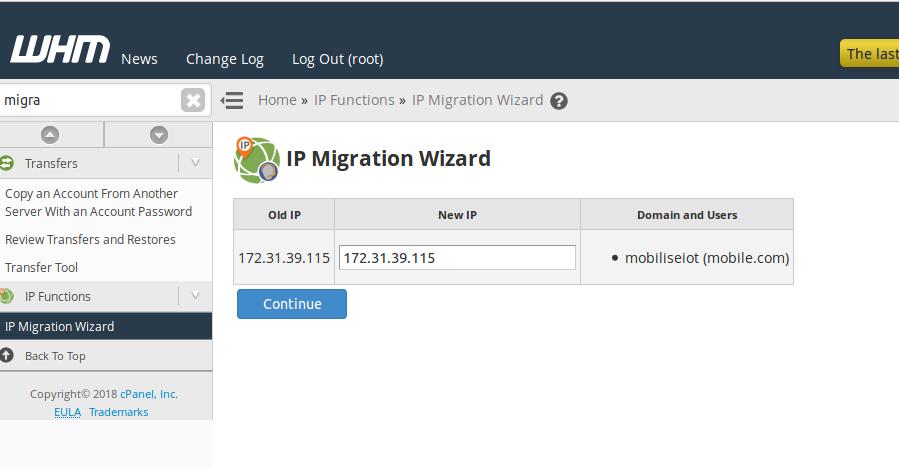
Now, log in to WHM, go to Home > IP Functions > IP Migration Wizard
Change your site’s IP address to the INTERNAL IP address.
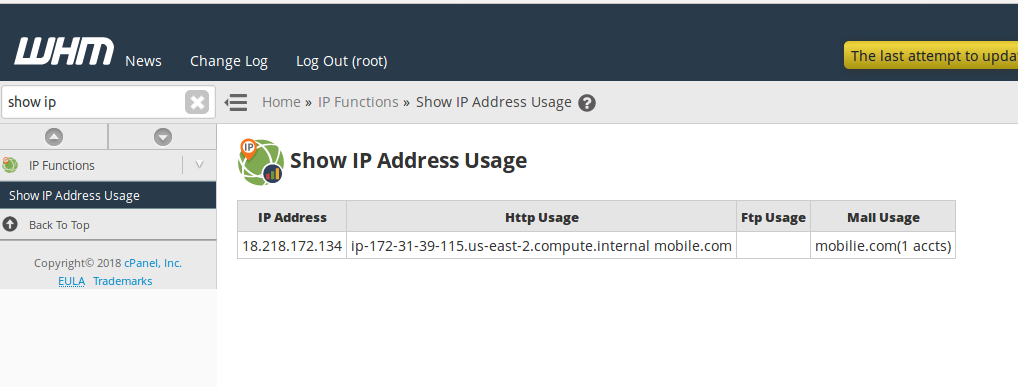
Show IP Address Usage will show your external IP address
Home > Server Configuration > Basic WebHost Manager® Setup > Basic Config > The IPv4 address (only one address) to use to set up shared IPv4 virtual hosts. will show your external IP address.

See Cpanel Server, Amazon Ec2 Fixing Cpanel IP after restore from snapshot