ISPConfig how to rename web directory

ISPConfig

ISPConfig is a free hosting control panel. The DocumentRoot in ISPConfig is /var/www/clients/client0/web1/web. In the path client0 and web1 changes depending on number of customers and web site you have on the server. If you try to rename web foder, you get permission denied error, this is because ISPConfig set chattr +i (immune) to parent … Read more

ISPConfig reset admin password

To reset password for ISPConfig, login to MySQL as root. mysql -u root -p if you don’t have MySQL root password, see ISPConfig Find MySQL root password. Switch to ISPConfig database use dbispconfig; To change password, run UPDATE sys_user SET passwort = md5(‘NEW_PASSWORD_HERE’) WHERE username = ‘admin’; Replace NEW_PASSWORD_HERE with your new password.

ISPConfig fail to create MySQL database

ISPConfig

Whem creating MySQL database in ISPConfig, no database get created. To debug, i disabled the cronjob. Created a database in ISPConfig control panel, run cronjob manually, it shows following error [root@vs-sok ~]# /usr/local/ispconfig/server/server.sh PHP Warning: mysqli::mysqli(): (28000/1045): Access denied for user ‘root’@’localhost’ (using password: YES) in /usr/local/ispconfig/server/plugins-available/mysql_clientdb_plugin.inc.php on line 528 11.11.2019-13:45 – ERROR – Unable … Read more

Install SSL for ISPConfig Control Panel

ISPConfig

To add SSL for ISPConfig control panel, add the server hostname as a website in ISPConfig and enable the LetsEnrypt checkbox. You can find the server hostname with the command hostname -f That will get SSL installed for your hostname. You need to point the server hostname to the server’s IP address to get SSL … Read more

Disable Apache Error log in ISPConfig

ISPConfig is a free hosting control panel. It come with Nginx and Apache web servrs. You can select one during installation. if you are using Apache web server with ISPConfig and want to disable Apache Error logs, then do the following cd /etc/apache2/sites-available sed -i ‘s/ErrorLog .*/ErrorLog \/dev\/null/g’ * Now restart Apache systemctl restart apache2 … Read more

ISPConfig 3 configuration files

ISPConfig 3 configuration files are are located in folder /usr/local/ispconfig/interface/lib/config.inc.php /usr/local/ispconfig/server/lib/config.inc.php /usr/local/ispconfig/server/lib/mysql_clientdb.conf DocumentRoot /usr/local/ispconfig/interface/web/ Config file for webmail/phpmyadmin /etc/nginx/sites-available/000-apps.vhost Config for ispconfig web interface /etc/nginx/sites-available/ispconfig.vhost

mod_fcgid: HTTP request exceeds MaxRequestLen

On a ISPConfig server with PHP running in FCGI Mode, i get following error in error_log when upload images from WordPress admin area. [Tue Apr 03 13:45:11 2018] [warn] [client 112.133.237.47] mod_fcgid: HTTP request length 139264 (so far) exceeds MaxRequestLen (131072), referer: https://www.url.com/wp-admin/media-new.php ISPConfig store error log for site in “log” directory in parent folder … Read more

ispconfig

ISPConfig ISPConfig reset admin password ISPConfig 3 configuration files Add SSL for ISPConfig Control Panel Enable LetsEncrypt SSL for web site in ISPConfig ISPConfig how to rename web directory Apache/PHP Install PHP 7.2 in CentOS ISPConfig Server mod_fcgid: HTTP request exceeds MaxRequestLen Disable Apache Error log in ISPConfig MySQL ISPConfig fail to create MySQL database … Read more

Install PHP 7.2 in CentOS ISPConfig Server

First you need to install EPEL repo and REMI repo. To install EPEL, run yum install epel-release To Install REMI repo, download RPM file for your OS from https://rpms.remirepo.net For CentOS 6, run rpm -ivh https://rpms.remirepo.net/enterprise/remi-release-6.rpm For CentOS 7 rpm -ivh https://rpms.remirepo.net/enterprise/remi-release-7.rpm Install PHP 7.2 with yum install php72-php-bcmath php72-php-cli php72-php-common php72-php-fpm php72-php-gd php72-php-intl php72-php-json … Read more

Enable LetsEncrypt SSL in ISPConfig

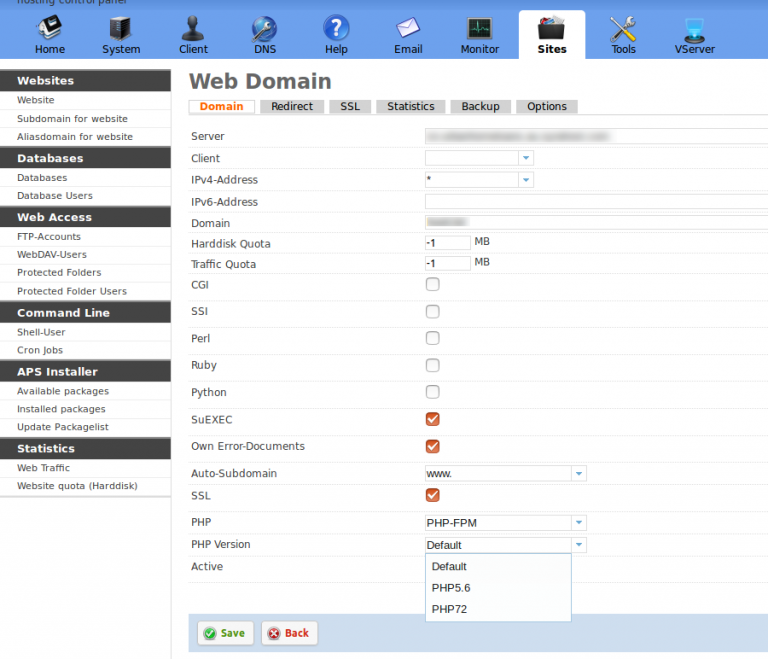
Login to ISPConfig at https://your-server-ip:8080 On main menu, click on “Sites”. It will show all available web sites on your server. Click on the domain on which you need LetsEncrypt SSL installed. On Next page, click the check boxes “SSL” and “LetsEncrypt”. Click “Save” button. In few minutes you will get SSL installed on your … Read more