Uninstall ImunifyAV on Plesk Server

Uninsall Plesk Extension

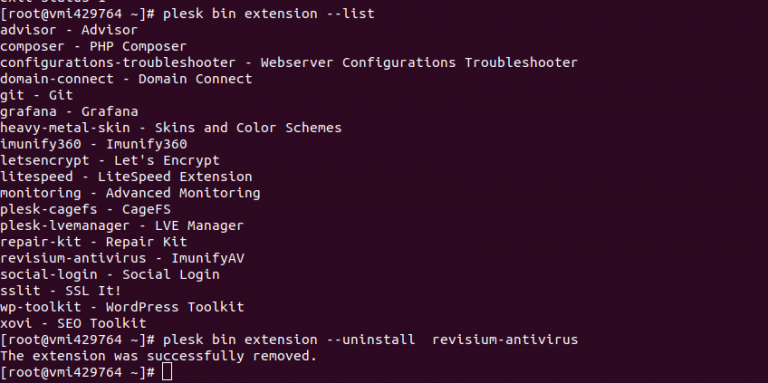
ImunifyAV is a free antivirus for Linux Server. On a Plesk server, i installed paid version of ImunifyAV. Now plesk shows both paid and free versions. [root@vmi429764 ~]# plesk bin extension –list advisor – Advisor composer – PHP Composer configurations-troubleshooter – Webserver Configurations Troubleshooter domain-connect – Domain Connect git – Git grafana – Grafana heavy-metal-skin … Read more

Plesk mail not working 10024: Connection refused

On a Plesk mail server, when sending/reciving email, it fail with following error in /var/log/maillog Aug 11 19:49:28 vmi274961 postfix/smtp[29276]: E413C3320265: to=, relay=none, delay=0.47, delays=0.47/0/0/0, dsn=4.4.1, status=deferred (connect to 127.0.0.1[127.0.0.1]:10024: Connection refused) To fix, reinstall email-security extension. plesk bin extension –uninstall email-security Verify mail works. If all good, you can reinstall the Plesk mail security … Read more

How to enable gzip on Plesk Nginx

To enable gzip on Plesk server with Nginx proxy, go to Plesk > Domains Click on the domain for which you need gzip compression enbaled. click on “Apache & nginx Settings”. On next page, scroll down, add following to “Additional nginx directives” text box. gzip on; gzip_http_version 1.1; gzip_comp_level 5; gzip_min_length 256; gzip_proxied any; gzip_vary … Read more

Plesk Change Backup Location

Plesk License Number

By default, Plesk store backups in folder /var/lib/psa/dumps/. To move this to a differnt partition or directory, create a folder mkdir /backup chown psaadm:psaadm /backup chmod 750 /backup Edit file vi /etc/psa/psa.conf Find DUMP_D /var/lib/psa/dumps Replace with DUMP_D /backup Move old backup to new location rsync -avzP /var/lib/psa/dumps/ /backup/ Remove old backup directory, here i … Read more

Plesk move vhosts folder

Plesk use /var/www/vhosts folder to store sites. On some servers this folder will be on smaller partition. Say you have all disk space on partition /home, in such cause, you can use following command to move web site files to /home folder with following command. plesk bin transvhosts.pl –dest-dir /home/ –correct-scripts /home/ = you can … Read more

Install PHP 5.6 on Debian 9 Plesk Server

Plesk License Number

To install PHP 5.6 on Debian 9 Plesk Server, add sury.org repository apt install apt-transport-https lsb-release ca-certificates -y wget -O /etc/apt/trusted.gpg.d/php.gpg https://packages.sury.org/php/apt.gpg echo “deb https://packages.sury.org/php/ $(lsb_release -sc) main” > /etc/apt/sources.list.d/php.list Install PHP 5.6 with apt apt-get update apt-get install php5.6 php5.6-fpm php5.6-cgi php5.6-mysql php5.6-xsl php5.6-xml php5.6-tidy php5.6-recode php5.6-mcrypt php5.6-mbstring php5.6-intl php5.6-gd php5.6-curl php5.6-json php5.6-imagick php5.6-bcmath … Read more

Install MagicSpam on Plesk

Plesk MagicSpam

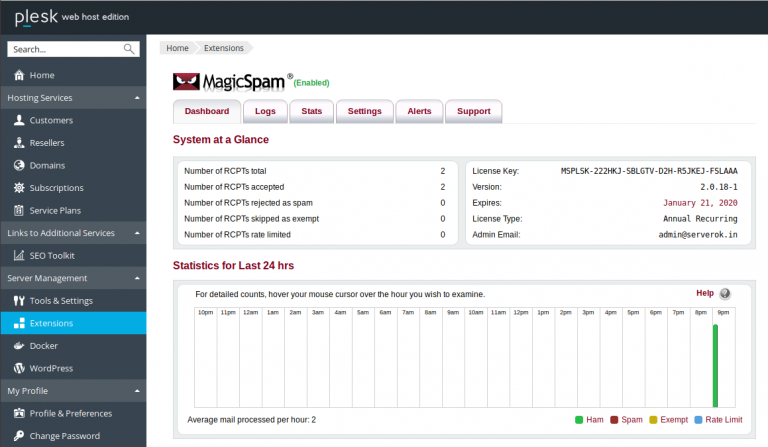
MagicSpam is an anti spam filter for Plesk and DirectAdmin servers. You can purchase MagicSpam from https://www.magicspam.com To install MagicSpam, upload the zip file you get to /root/ folder of your server and run plesk bin extension –install /path/to/file.zip Example plesk bin extension –install /root/magicspam-plesk-2.0.18-1-Linux.zip

Install Redis on Plesk Debian Server

Plesk License Number

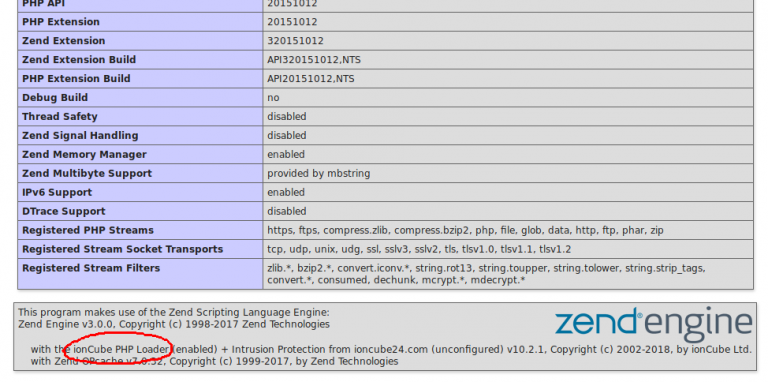
To install Redis on Plesk Debian/Ubuntu server, run apt install -y redis-server redis-tools Enable and restart redis-server systemctl enable redis-server systemctl restart redis-server Now install PHP Modules apt install -y plesk-php70-redis plesk-php71-redis plesk-php72-redis plesk-php73-redis plesk-php74-redis After installing, you will see redis listed in phpinfo() page.

Install Plesk On Linux Server

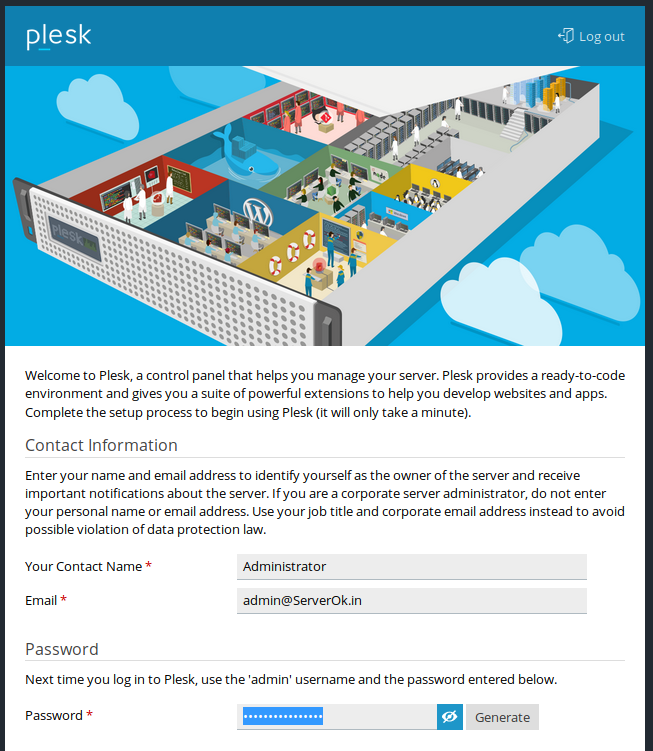
To install Plesk Control Panel on Linux Server, run Once install completed, you will be asked to log in to Plesk URL Once on the page, you will be asked to create an admin user. Once this is done, Plesk is ready to use. You can start/stop Plesk with the command

Plesk Install PHP

Plesk License Number

To install differnt version of PHP in plesk server, run plesk installer –select-release-current –show-components This will list available PHP versions to install. To install PHP 5.3, run plesk installer –select-release-current –install-component php5.3 To install PHP 5.6, run plesk installer –select-release-current –install-component php5.6 See Plesk